Phase 3: Interaction Design Assets
Following the Bird's-eye view (Figure 5.1), this phase creates the visual and logical blueprints for the system.
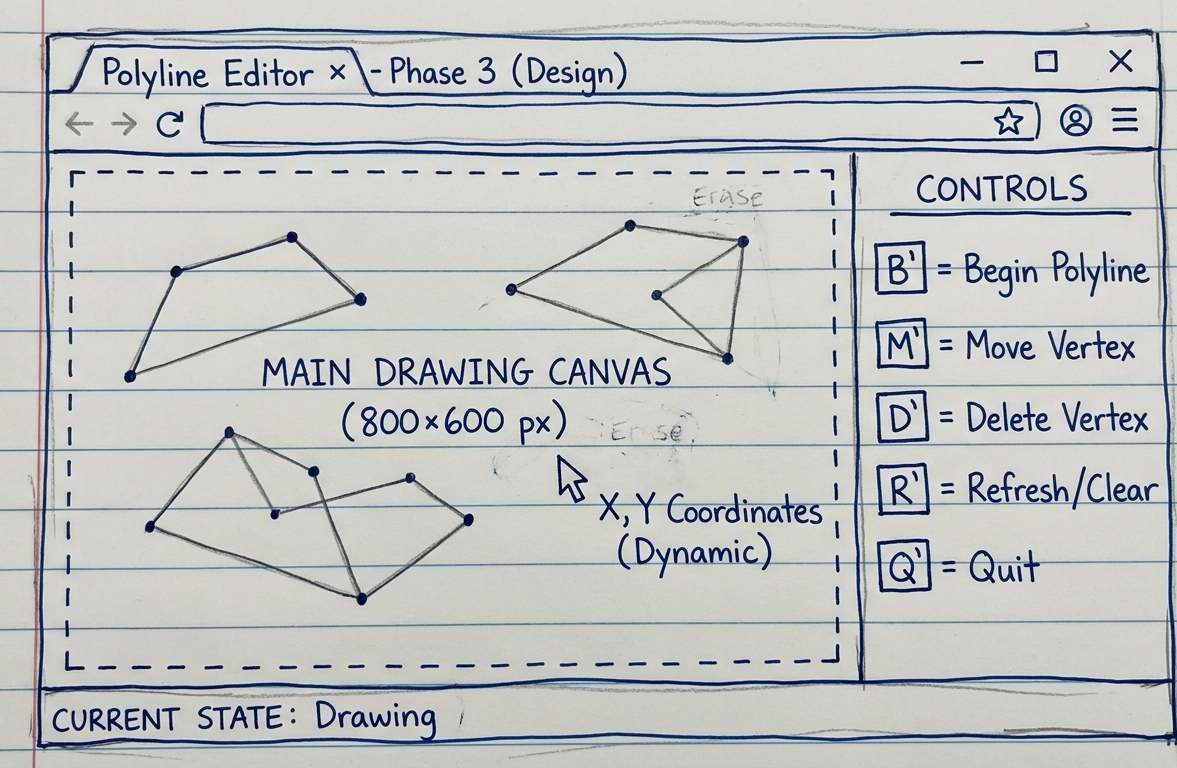
Interface Mockup
Visual specification of the canvas and control layout.
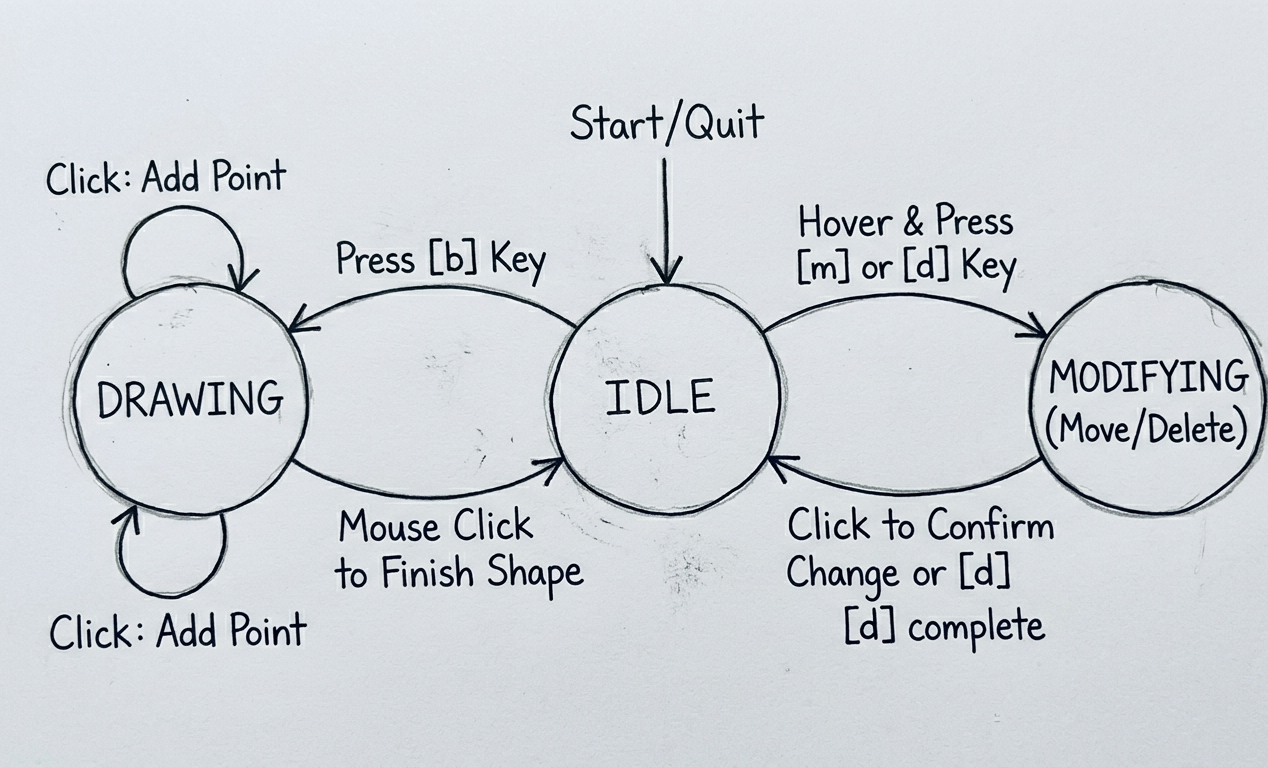
Dialog Notation
State transition diagram showing "Add" and "Move" logic.
Design Principles Applied
HCI Principles
- Visibility: Mode indicators update in real-time.
- Feedback: Lines follow the cursor during creation.
- Consistency: Standardized keyboard triggers.
Interaction Logic
The design ensures that users can recover from errors quickly using targeted vertex deletion and movement, bridging the gap between analysis and code.
Live Design Implementation
Status: Active
Control Panel
Mode:
Idle
Idle
- B Begin New Line
- M Move Vertex
- D Delete Vertex
- R Reset Canvas
- Q Quit App